NOT AN OFFICIAL MINECRAFT WEBSITE. NOT APPROVED BY OR ASSOCIATED WITH MOJANG OR MICROSOFT.

Drag to turn
Halloween · Slim model
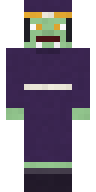
Spider Queen Minecraft skin
Eight-eyed glamour: a black dress with red accents and a glowing stare.
- Model
- Slim (3-pixel arms)
- File
- 64 × 64 PNG, two layers
- Works on
- Java and Bedrock (PC and mobile)
- Price
- Free
Colours
#141216#e2d3c7#2c2c30#4c4c4f#cf1f2b#c9bbb2#8c151d#481317
How to use this skin
- Download the PNG above and keep it somewhere easy to find.
- Java: open the Minecraft Launcher, go to Skins, choose New skin, pick Slim and browse to the file.
- Bedrock on PC or mobile: open Dressing Room, go to Classic Skins, choose Import, then Choose New Skin and pick the file and the Slim arm size.
Stuck? The full skin guide covers every platform and the usual problems.
Halloween